See creating a Lead article : How To - Create a New Lead
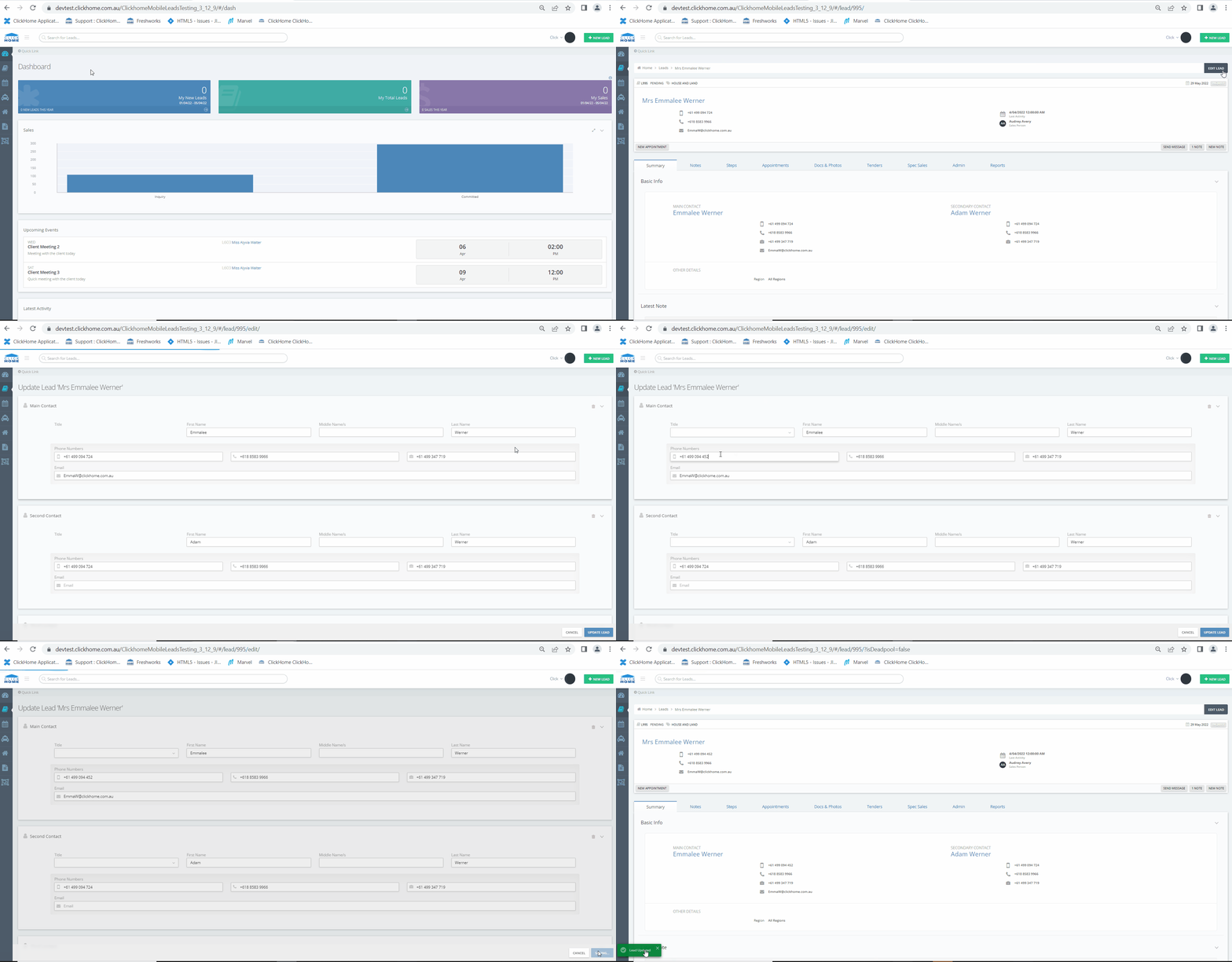
Instructions to Edit a Lead
Step 1: Navigate to Edit the Lead
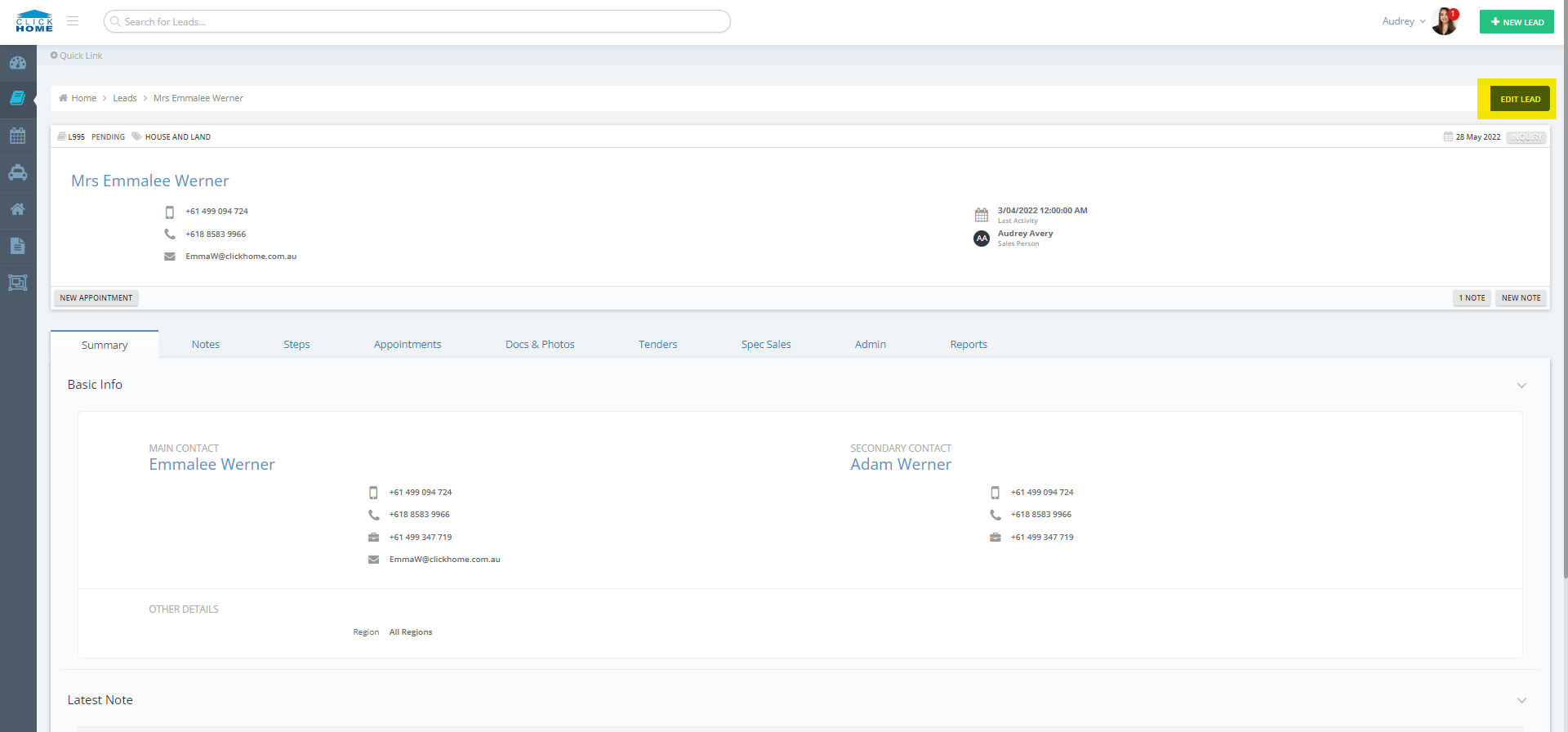
- Access the Lead to be edited.
- Select the 'Edit Lead' button located at the top right of the opened Lead.
Step 2: Edit the Lead
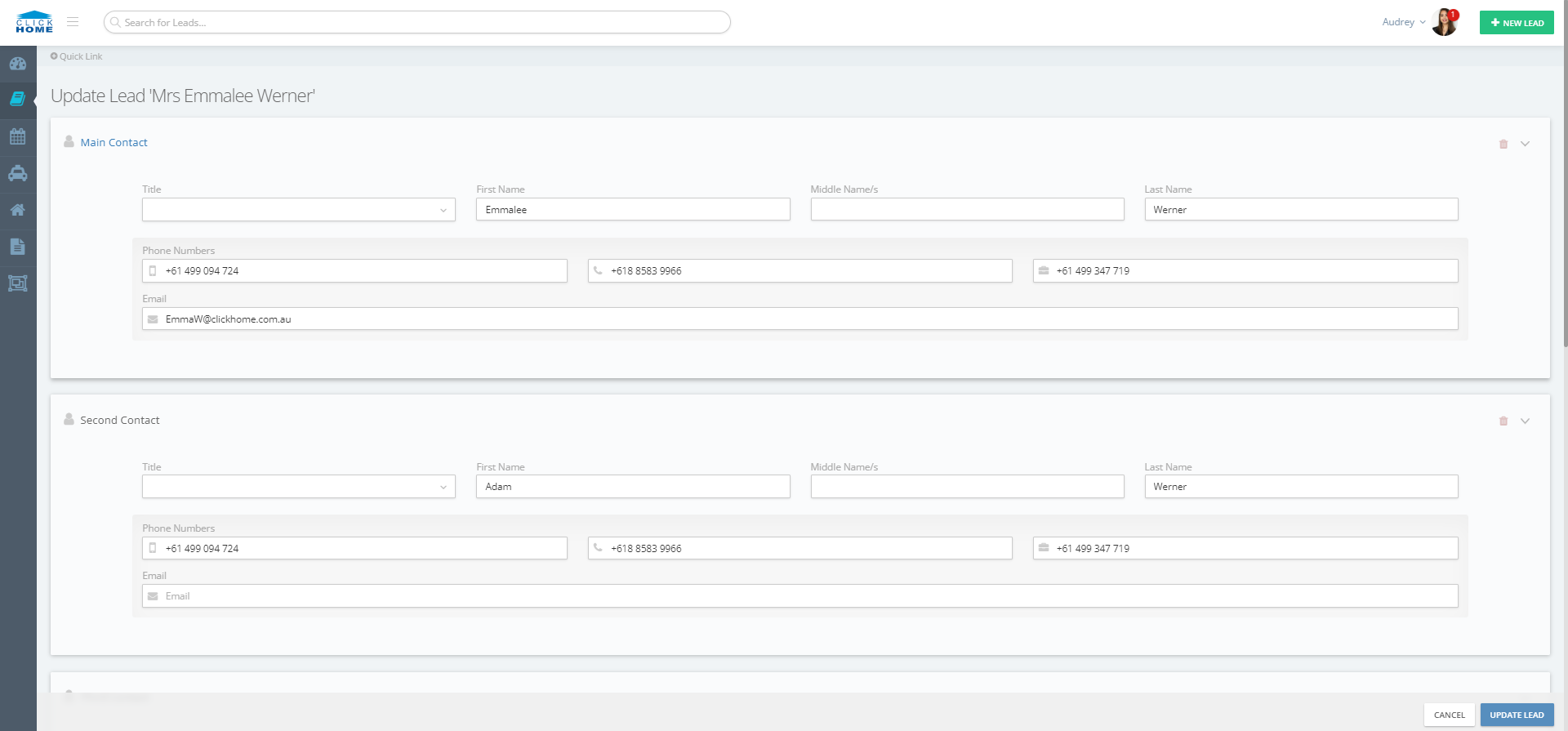
- Make all necessary edits to the Lead.
- Once all edits are complete, click on the blue 'Update Lead' button located at the bottom right of the screen.
------------------------------------------------------------------------------------------------------------------------------------------
See Video :