
The process to Login to ClickHome involves three basic steps and requires a simple click of a button to Logout at any point.
Login to ClickHome
Step 1: Accessing the System
To access the system you would of been provided with an address to type into a compatible web browser*, such as Chrome, which will give you access to the system.
If you are not aware of this address, please speak to the person who looks after ClickHome within your business.
To Access ClickHome you will require a username and password - these are provided by the relevant person or people within your organisation.
For a list of compatible web browsers please refer to Supported Browsers
Step 2: Open the Login Screen on Web Browser
When you first enter the ClickHome application through your web browser the ClickHome Login screen will be displayed on your screen (See image below).
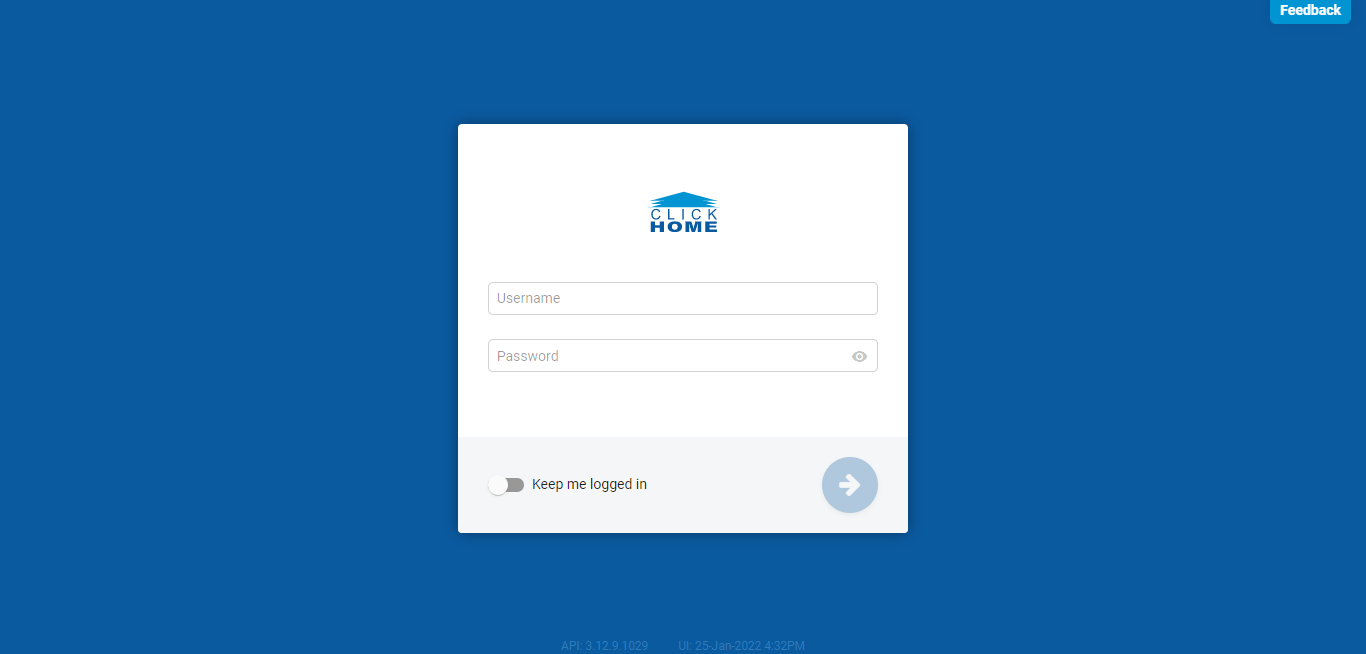
-ClickHome Login Page
Step 3: Login to ClickHome
- On this screen, enter the username and password provided to you in the corresponding fields.
- There is a toggle switch provided which gives you the option to remember this password to make your login process much more simple for all your future ClickHome login attempts.
- Once a username and password has been entered the circle with the arrow will change to blue, click this to complete your login process.
Logout of ClickHome
- Click on your profile icon located at the bottom left of your screen, which will display a profile pop up to the right of the icon.
- There is a logout button displayed on the top right of the profile pop up. Click the 'Logout' button to logout of the ClickHome application.
- You will be navigated back to the ClickHome Login screen once this action has been completed.
Closing the browser will not automatically log you out all of the time and as such reopening the browser may give someone access to your details therefore ensure the above steps to logout of ClickHome are completed correctly.
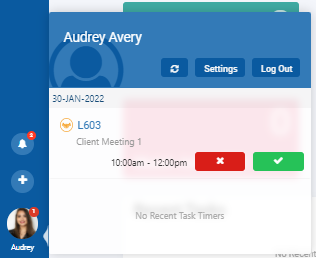
-ClickHome Profile Pop Up