Latest Version available
You can check the latest version release on ClickHome here: ClickHome Release Info
ClickHome Version, UI Version, App Version difference
- ClickHome Version - The version of ClickHome installed on your system installed and upgraded by the Support Team.
- UI Version - This is the version of the ClickHome desktop UI and is tied to the ClickHome version.
- App Version - This is the version of the ClickHome app installed on your device installed and updated through the Apple App Store, Microsoft Store, etc.
Viewing your current version on the ClickHome Desktop
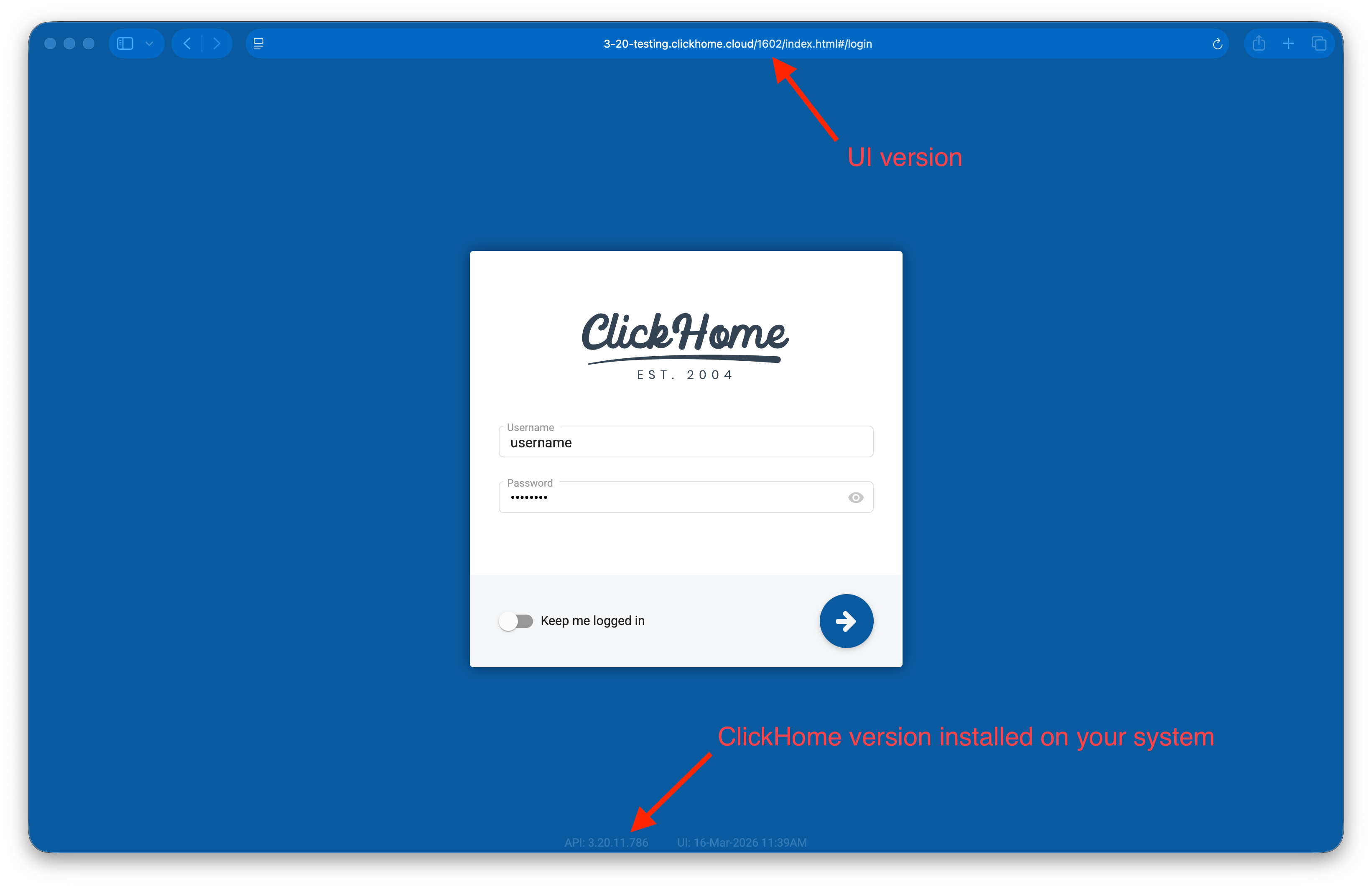
Sign out if you are signed in, and you can see the ClickHome version installed on your system at the bottom of the login screen. While the URL will contain the UI version.
Viewing your current version on the ClickHome Field Device Application
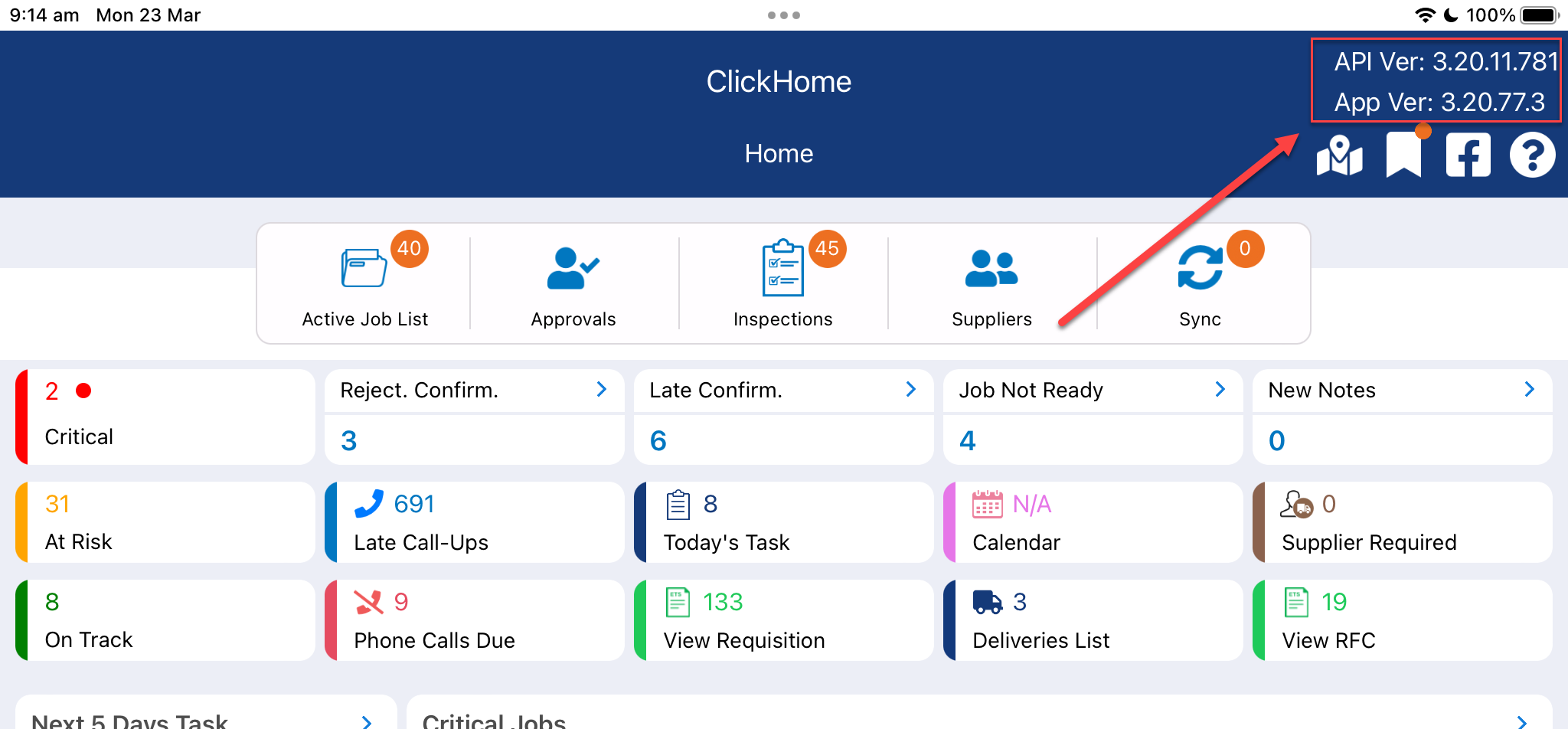
Located on the top right corner of the App contains the ClickHome version installed on your system (Labelled 'API Ver').
This also displays the App version installed on your iPad/Mobile Device (Labelled 'App Ver').