
This article outline all aspects of Option & Package Pricing.
The Pricing Workflow
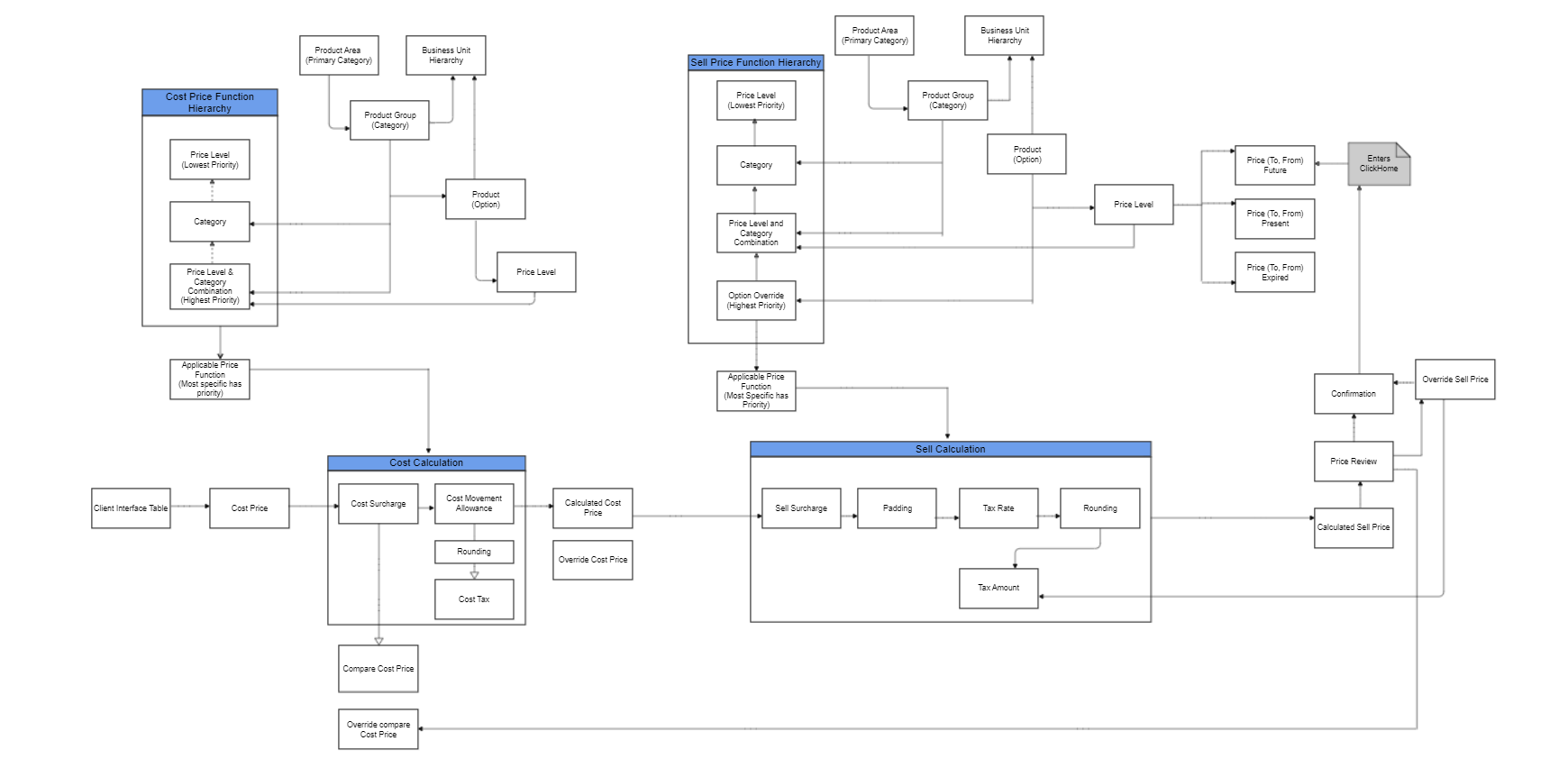
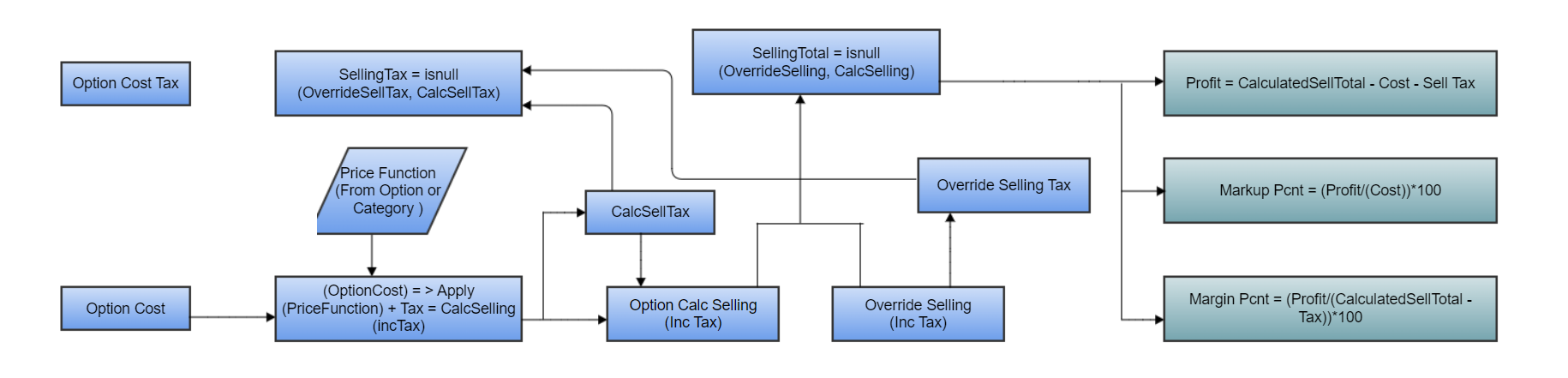
Option Pricing
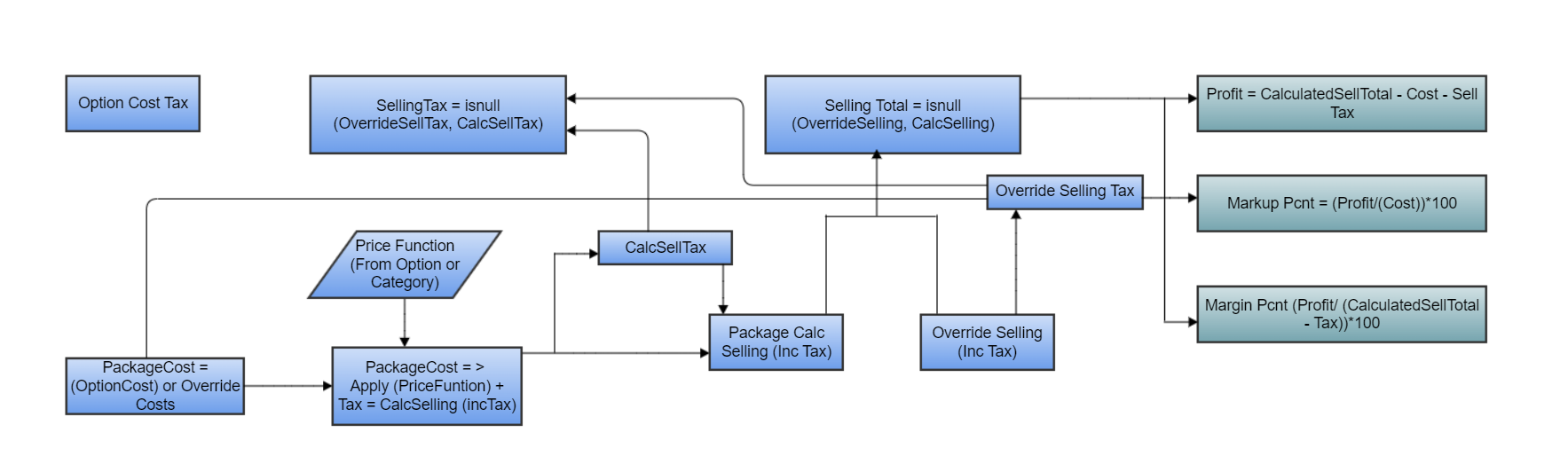
Package Pricing
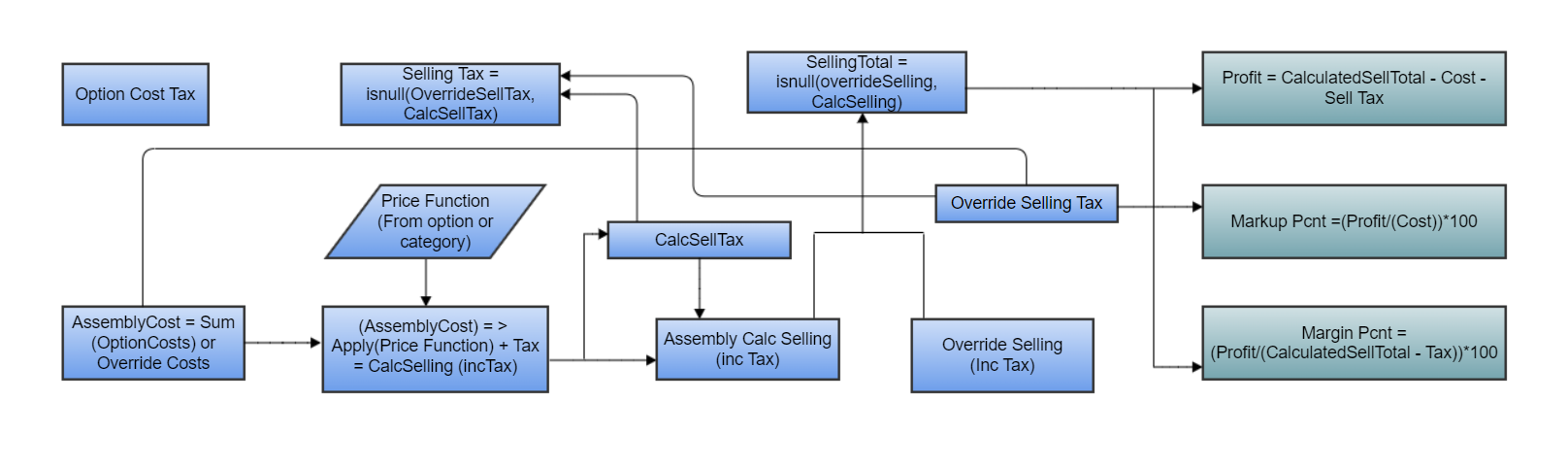
Assembly Pricing
Option & Package Pricing Status
There is a price status on Options & Packages :
| 0 | Standard |
| 1 | Override Approved |
| 2 | Custom Pricing |
| 10 | Request Review |
| 11 | Quote Required |
| 12 | Price Expired |
*Setting Price Statuses and rules for pricing statuses vary for custom and standard options.
The Price Status on a Tender :
| 0 | Not Priced |
| 1 | Estimate |
| 2 | Final |
Price Status on Options & Packages Selections
Price Status for Options & Package Selection :
Both Options & Packages share the same statuses:
| 0 | Standard |
| 1 | Override Approved |
| 2 | Custom Pricing |
| 10 | Request Review |
| 11 | Quote Required |
| 12 | Price Expired |
NB: In order for a 'Price Status' to be visible on a Tender the setting in Mobile Leads 'Disable Customer Mode' must be turned on.
Pricing Functions
Price functions are used to calculate a cost price or a sell price of options based on conditions set by the business.
There are four unique tables regarding price functions within ClickHome:
- The first 3 are available for calculating cost prices
- All 4 are available for calculating sell prices.
- Price Level
- Category
- Price Level x Category
- Option